Cloudflare in front of my Cloud Function, and yet zero cache — the header trap
A Cloud Function serving Cloud Storage images pays invocation + egress on every view. The CDN caches nothing without Cache-Control — the full chain in 6 steps.
Cloudflare in front of my Cloud Function, and yet zero cache. The trap is costly, and it's not where you look for it.
The context: a Cloud Function (Gen 2) reads images from Cloud Storage and returns them. It works… but every request triggers the function and pays GCP egress. For images viewed on repeat, that's money down the drain.
Cloudflare as a DNS proxy adds a CDN in front of the function: images get cached as close as possible to users. Repeated requests no longer touch GCP.
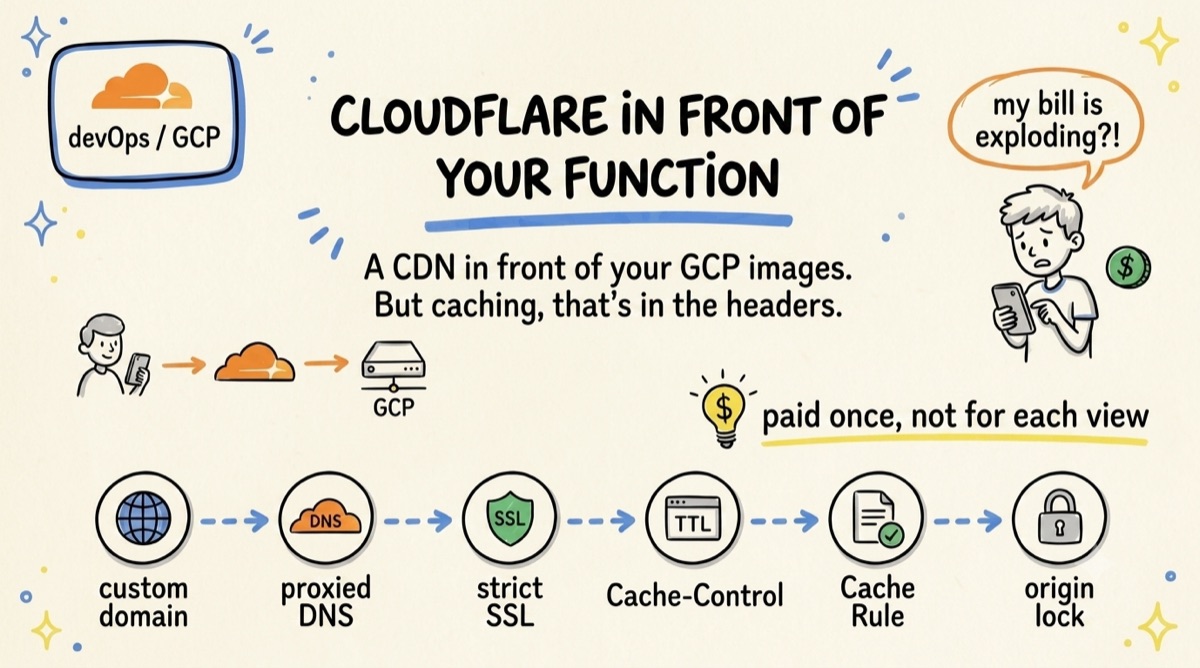
1️⃣ Add a custom domain to the function
.run.app or .cloudfunctions.net URLs can't be proxied directly. Map a domain via Cloud Run (or a Load Balancer) to get, say, img.yourdomain.com.
2️⃣ Configure Cloudflare
Create a CNAME to the GCP target and leave the orange cloud enabled. Grey cloud = no proxy, therefore no cache.
3️⃣ Set SSL to Full (strict)
GCP already provides a valid certificate. Traffic stays encrypted all the way to the origin, certificate verified.
4️⃣ Add the right cache headers (the step everyone forgets)
Return Cache-Control: public, max-age=86400 (or more). Without it, Cloudflare goes back to the origin every time and you keep paying invocation + egress.
5️⃣ Force caching if needed
If your URLs look like /image/123 instead of photo.jpg, create a Cache Rule with Eligible for cache. Then check cf-cache-status: you want to see MISS, then HIT.
6️⃣ Block direct access to the origin
Otherwise, anyone can bypass Cloudflare and restart the costs. Check a secret header or filter Cloudflare IPs at the Load Balancer level.
The result?
The first request is served by GCP. The following ones come from the Cloudflare cache: fewer invocations, less egress, lower latency… and a bill that goes down.
💡 The real gain doesn't come from the DNS, but from the Cache-Control headers. Without them, your CDN caches nothing.